What players say
Equation Builder Math Puzzle offers a straightforward yet effective way to practice arithmetic. The drag-and-drop interface is intuitive, and the gradual increase in difficulty keeps players engaged. It is completely free and works on any device, making it a great tool for parents and teachers. The immediate feedback helps reinforce learning, and the lack of ads or distractions ensures a focused experience.
About this game
Game Introduction
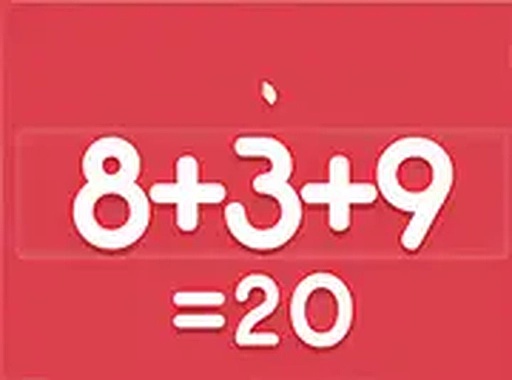
Equation Builder Math Puzzle is an engaging arithmetic game designed to help players practice solving equations in a fun, interactive way. The core objective is straightforward: you are shown an incomplete math equation with a blank space, and your task is to select the correct numbers and mathematical symbols from a provided set to make the equation true. This game combines learning with entertainment, making it an excellent choice for children and anyone who wants to sharpen their mental math skills. It runs directly in your browser, so no downloads or installations are needed. The clean interface and intuitive design ensure that players of all ages can start playing immediately without any confusion. The game provides immediate feedback on each answer, helping players learn from mistakes and improve over time. As you progress, the equations become more challenging, covering operations such as addition, subtraction, multiplication, and division. This gradual increase in difficulty helps build confidence and arithmetic speed. The game is free to play and works on both desktop and mobile devices, allowing for practice anywhere.
How to Play
To begin, look at the equation displayed on the screen. Below it, you will see a selection of numbers and mathematical symbols. Using your mouse or touch screen, click and drag a number or symbol into the blank area to complete the equation. For example, if the equation shows 2 + ? = 5, you would drag the number 3 into the blank. The goal is to make every equation true. The game provides immediate feedback, so you know if your answer is correct. As you progress, equations become more challenging, helping you improve your arithmetic speed. You can play on both desktop and mobile devices, and you have the option to switch to full screen mode for a more focused experience.
Game Features
The game is completely free to play with no hidden costs. It is browser-based, so there is nothing to download or install. Full screen mode is available for an immersive experience. The game is mobile-friendly, allowing you to play on smartphones and tablets. The interface is simple and intuitive, making it easy for anyone to start playing right away. The game offers a variety of equation types, covering addition, subtraction, multiplication, and division, which helps reinforce basic arithmetic skills.
Tips for Success
To improve your performance, practice basic arithmetic operations such as addition, subtraction, multiplication, and division. Start with easier equations to build confidence, then gradually tackle more challenging ones. Pay close attention to the order of operations when multiple symbols are involved. Regular short sessions can help sharpen your mental math speed over time. If you get stuck, take a break and return with a fresh perspective.