What players say
Compare Numbers Math Puzzle is an excellent educational tool for building number sense. Its clean design and immediate feedback create a low-pressure learning environment. The game is free, mobile-friendly, and requires no registration. Perfect for young students or anyone wanting a quick mental warm-up.
About this game
Game Introduction
Compare Numbers Math Puzzle is an educational activity focused on building number sense. The core objective is to compare two numbers and choose the correct mathematical sign: greater than, less than, or equal to. This game turns a fundamental math skill into a playful exercise, making it suitable for learners of all ages. Its straightforward design and immediate feedback create a low-pressure environment that encourages practice and improvement. The game is particularly useful for young students who are learning number relationships, but it can also serve as a quick mental warm-up for older players. By repeatedly comparing numbers, players reinforce their understanding of numerical order and value in an engaging way. The game is free to play in a browser, with no downloads or registration required.
How to Play
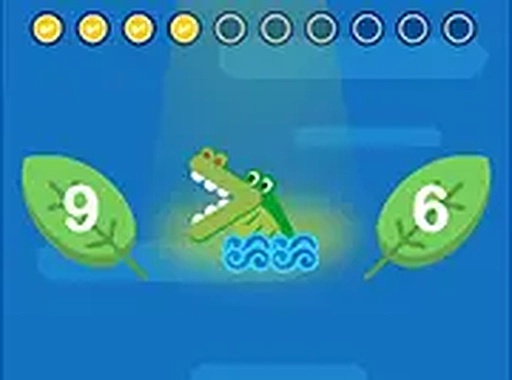
In this game, players are presented with two numbers on the screen. Below the numbers, three options are available: a greater than sign (>), a less than sign (<), and an equal sign (=). The player must tap or click the sign that correctly describes the relationship between the two numbers. For example, if the numbers are 7 and 4, the correct choice is the greater than sign. If the numbers are 3 and 8, the less than sign is correct. When both numbers are the same, the equal sign is chosen. Each correct answer earns a point and advances the player to the next pair. There are no timers or penalties for wrong answers, allowing players to learn at their own pace. The game works smoothly on both touchscreens and desktop computers.
Game Features
This game offers interactive math practice that adapts to the player's skill level. It is designed with a mobile-friendly layout, ensuring smooth play on smartphones and tablets. The game is free to play in a browser, with no downloads or registration required. Controls are simple and intuitive, making the game accessible to young learners and adults alike. Immediate feedback is provided for each answer, helping to reinforce correct choices and encourage improvement. The clean, uncluttered interface keeps the focus on the learning activity. As an educational puzzle, it may include a variety of number pairs to keep the challenge fresh and engaging.
Tips for Success
To improve at comparing numbers, practice regularly with different number pairs. Start with smaller numbers to build confidence, then gradually move to larger ones. Pay close attention to each pair and double-check your choice before selecting a sign. If you make a mistake, take note of the correct answer and learn from it. Repetition is key to mastering this skill, so try to play a few rounds each day. For younger players, using physical objects like blocks or counters can help visualize the comparison. Stay patient and focus on accuracy rather than speed, as the game has no time limits.