What players say
Sponks Music Playground offers a refreshing take on music creation by focusing on fun and experimentation. Each character has a unique voice and animation, making every mix feel alive. The simple drag-and-drop controls are intuitive, and the hidden Sponks add surprise. It is perfect for casual players who enjoy creative expression without pressure.
About this game
Game Introduction
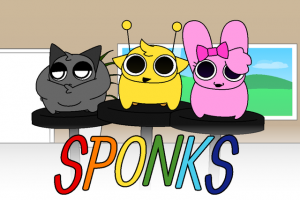
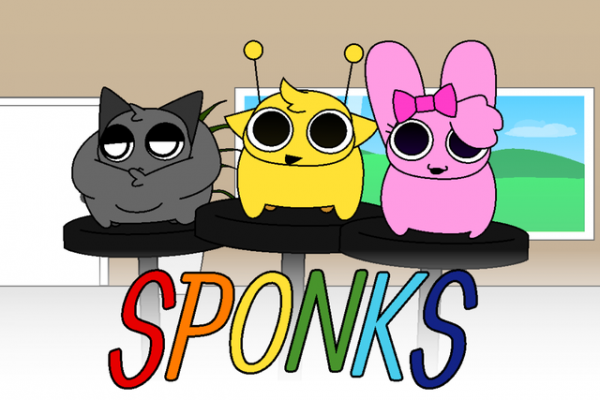
Sponks Music Playground is a creative music game where players build soundscapes by placing charming characters on a stage. Each character, called a Sponk, has its own personality and voice, from soft hums to cheerful squeaks. The game encourages experimentation as players layer different sounds to form unique rhythms and melodies. Every session offers a fresh experience because the order and placement of Sponks affect the overall composition. The visual animations pulse along with the music, making the process both audio and visual. Hidden Sponks may appear during play, adding surprise elements and new tones to discover. The upbeat atmosphere keeps the focus on fun and creativity rather than competition or scoring. Sponks Music Playground is designed for players who enjoy casual, open-ended activities where they can express themselves through sound. The game does not have strict goals or levels, allowing users to explore at their own pace. It draws inspiration from music toy genres that prioritize playfulness and spontaneity. The core objective is to enjoy the process of mixing sounds and watching characters react. This makes it suitable for all ages, especially those who like experimenting with audio in a stress-free environment.
How to Play
Players typically start by selecting Sponks from a collection and dragging them onto a stage area. Each Sponk placed adds its unique sound to the mix, and users can arrange them in any order to create different effects. The game responds instantly to each placement, with characters bouncing or moving in time with the music. Players can remove or swap Sponks to change the rhythm or melody. The interface is designed for simple point-and-click actions, making it easy for anyone to start creating. As players experiment with different combinations, new audio patterns emerge. The game does not require reading instructions or following tutorials, as the feedback is immediate and intuitive. Players can also adjust the timing or position of Sponks to fine-tune their compositions. There are no penalties for mistakes, so users are free to try various arrangements. The experience is about exploration and enjoying the process rather than achieving a specific outcome.
Game Features
Sponks Music Playground includes several features that enhance the creative experience. Each Sponk has a distinct voice and animation, ensuring that every character contributes something unique to the mix. The game provides real-time audio and visual feedback, so players see and hear the results of their actions immediately. Hidden Sponks with special tones can be unlocked during play, adding variety and surprise. The rhythm and beat adjust dynamically based on the placement and timing of Sponks, allowing for smooth transitions. The visuals sync with the audio, creating a cohesive multimedia experience. The game may include a collection of characters that players can discover over time. The controls are simple and rely on mouse interactions, making the game accessible to all skill levels. The open-ended nature means there is no fixed endpoint, encouraging repeated play and experimentation.
Tips for Success
To get the most out of Sponks Music Playground, try experimenting with different Sponk arrangements to discover new sound combinations. Pay attention to how each character's voice interacts with others, and adjust placements to create balanced rhythms. Take time to explore hidden Sponks by trying various mixes. There is no right or wrong way to play, so focus on enjoying the creative process. Regular practice helps you learn which sounds work well together.