What players say
Typooh Space Typing Game Online is a well-designed typing game that makes practice fun. The space theme is visually appealing, and the gameplay is straightforward. You type letters to destroy missiles, and the speed increases over time. This provides a good challenge for both beginners and experienced typists. The game is free, requires no download, and is safe for all ages. It has high replay value because you always try to beat your score. The full screen mode adds immersion. Overall, it is an excellent tool for improving typing speed and accuracy while having fun.
About this game
Game Introduction
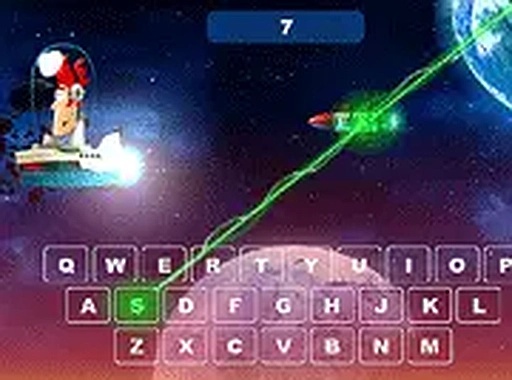
Typooh Space Typing Game Online Arcade Game places you in a spaceship under attack. Enemy missiles, each marked with a single letter, fly toward your ship. Your only defense is your keyboard. Type the correct letter to destroy each missile before it hits. The game blends fast-paced action with typing practice, offering a unique way to improve keyboard skills. As you progress, missiles come faster and in greater numbers, testing reflexes and accuracy. The space theme with stars and explosions makes each session feel like a real battle. Designed for desktop computers with a keyboard, this game is free to play with no download or registration required. Whether you are a beginner learning the keyboard or an experienced typist wanting to sharpen speed, Typooh provides a fun and challenging environment. The simple concept of typing letters to survive keeps gameplay focused and addictive. Each round ends when a missile hits your ship, encouraging you to beat your high score. The game is family-safe with no violence or inappropriate content, making it suitable for players of all ages. It also helps with letter recognition and hand-eye coordination.
How to Play
To play Typooh Space Typing Game Online Arcade Game, you need a computer with a keyboard. Open the game in your browser and click to start. Missiles will appear on the screen moving toward your ship. Each missile has a single letter displayed on it. Type that letter on your keyboard to destroy the missile. If you type the wrong letter, the missile continues. If you type the correct letter, the missile explodes and you earn points. The game becomes faster as you progress, with more missiles appearing at once. You can play in full screen mode for a more immersive experience. There is no mouse control needed; everything is done with the keyboard. The game ends when a missile reaches your ship. Your goal is to survive as long as possible and achieve a high score. Practice regularly to improve your reaction time and typing speed. The game is simple to learn but difficult to master, providing endless replayability.
Game Features
Features of Typooh Space Typing Game Online Arcade Game include a fun space theme with colorful graphics. The game is free to play with no hidden costs. It offers a full screen mode for better focus. The typing challenge increases in difficulty as you play, keeping the game engaging. It is designed for desktop computers and works well with any standard keyboard. The game helps improve typing speed, accuracy, and letter recognition. It is family-safe and suitable for all ages. No registration or download is required. The simple one-letter-per-missile mechanic makes it easy to understand. The game tracks your score, encouraging you to beat your personal best.
Tips for Success
To succeed in Typooh Space Typing Game Online Arcade Game, practice regularly to build muscle memory for the keyboard. Focus on accuracy first, then gradually increase your speed. Keep your fingers on the home row to reach letters quickly. Stay calm as missiles speed up—panicking leads to mistakes. Try to look at the screen, not your hands, to improve reaction time. Challenge yourself to beat your previous high score each session. Consistent practice will help you survive longer and achieve higher scores.