What players say
Planet Guardian Defense Challenge offers a straightforward yet engaging experience. The controls are easy to learn, making it accessible for all ages. The increasing difficulty keeps each round fresh, and the ability to play in short bursts or longer sessions adds flexibility. It is a solid choice for casual strategy fans.
About this game
Game Introduction
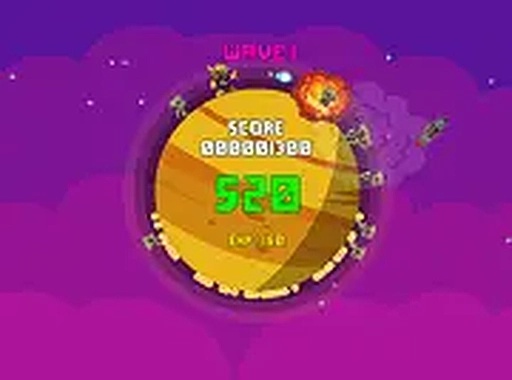
Planet Guardian Defense Challenge is an online arcade-style defense game where players become the protector of a home planet. The main goal is to keep the planet safe from waves of incoming threats that appear over time. This game combines careful planning with quick reactions, asking players to decide which threats to handle first and how to manage their actions wisely. It offers a clean, family-friendly experience that is easy to start playing directly in a desktop web browser. The game works well for both short play sessions and longer gaming periods, making it suitable for players of various ages. What makes this game unique is its blend of simple controls with gradually increasing challenge, encouraging players to improve their aim and decision-making skills over time. The game is free to play and requires no downloads, giving instant access to engaging gameplay.
How to Play
Players typically control a defender character that moves along the surface of a planet. Using a mouse, players can aim and click to interact with approaching threats. Some weaker foes may be overcome simply by moving the character over them, while stronger threats require more precise aiming. The keyboard is used to move the defender around the planet. The challenge increases as more enemies appear, testing the player's aim and decision-making skills. The game is easy to learn, with intuitive controls that allow new players to start quickly.
Game Features
This game is free to play and runs directly in a desktop web browser. It supports full screen mode for a more immersive experience. The content is family-friendly, making it suitable for players of various ages. The game offers simple controls that are easy to learn, with rising difficulty that keeps each round engaging. It is designed for short play sessions or longer gaming periods. The game is accessible without any downloads or installations.
Tips for Success
Focus on eliminating weaker threats first to reduce the overall danger level. Pay close attention to threats that move quickly toward the planet, as they can cause significant damage if left unchecked. Practice your aim and movement to improve your reaction time. Stay alert for threats with higher durability, as they require more actions to overcome. Regular practice will help you anticipate patterns and manage multiple threats effectively.