What players say
Piano Music Box Online Game is a well-designed tool for early music education. The colorful keys are inviting and easy for small fingers to tap. The lack of rules or scores means children can experiment freely, building confidence and a love for sound. It runs smoothly on both mobile and desktop, making it accessible anywhere. Parents can play alongside their kids, turning screen time into quality bonding time. The game's simplicity is its strength, offering endless creative possibilities without frustration. It is a safe, ad-free environment that respects family values. Highly recommended for toddlers and preschoolers.
About this game
Game Introduction
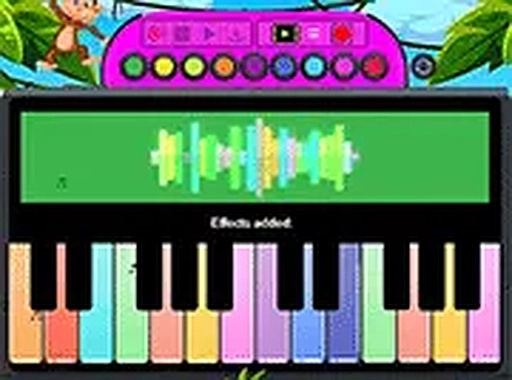
Piano Music Box Online is a browser-based music game designed for young children. It transforms any device into a playful piano with colorful keys that produce musical notes when tapped. The core objective is free creative expression—there are no scores, timers, or rules. This game offers a safe, educational introduction to melody and rhythm, making it ideal for toddlers and preschoolers. Its simplicity and focus on cause-and-effect learning set it apart as a gentle first music experience.
How to Play
Playing is straightforward and intuitive. On a touchscreen device, children tap the colorful keys with their fingers. On a desktop, they click each key using a mouse. Each tap produces a distinct musical note. There are no levels, goals, or instructions to follow—players can freely explore sounds and create their own tunes. The large, easy-to-see keys are designed for small hands, making the game accessible to very young children. Parents can join in, turning play into a shared activity that encourages bonding and experimentation.
Game Features
Features include colorful instrument keys that are easy to see and tap, intuitive touch and mouse controls suitable for all ages, and a no-pressure environment with no scores, timers, or rules. The game works on both mobile and desktop devices, runs instantly in a browser without downloads or sign-ups, and offers a full-screen mode for an immersive experience. It is free to play and focuses on open-ended creative play, supporting early learning through music exploration.
Tips for Success
Encourage your child to tap different keys to discover how each produces a unique sound. Let them experiment freely without correction—this builds confidence and a natural ear for music. For shared fun, take turns creating simple patterns or songs together. Use the full-screen mode to minimize distractions. Regular, short play sessions can help develop fine motor skills and an early appreciation for melody and rhythm.