What players say
Coloring Objects for Kids Online Game is a well-designed coloring tool for young children. The interface is clean and easy to navigate, allowing kids to start painting immediately. The variety of objects keeps the activity fresh, and the lack of timers or scores reduces stress. It is a reliable choice for parents who want a safe, educational game that encourages creativity. The game runs smoothly on all devices, making it convenient for use anywhere.
About this game
Game Introduction
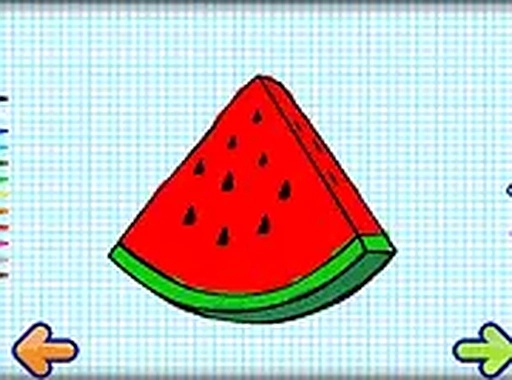
Coloring Objects for Kids Online Game provides a simple and enjoyable way for children to express their creativity through painting and drawing. Designed as a family-friendly tool, this game allows kids to select from various objects, choose their favorite colors, and start painting using their finger on touch devices or a mouse on computers. The interface is intuitive, making it easy for even the youngest artists to begin. There are no time limits or scores, so children can focus on the joy of creating. This game helps develop fine motor skills and color recognition in a relaxed, pressure-free environment. It runs directly in the browser on both mobile and desktop, requiring no downloads. Parents can feel confident that the content is safe and appropriate for all ages. Whether at home or traveling, children can enjoy hours of artistic play. The game also supports full screen mode for a more immersive experience. It is a wonderful resource for parents seeking constructive screen time that promotes learning and imagination.
How to Play
To start, choose an object from the selection provided. Next, pick a color from the palette. Then, use your finger or mouse to paint on the object. You can fill areas, add small details, or mix colors as you like. There are no wrong moves, so children can experiment freely. The game is designed to be self-explanatory, with no reading required. Simply tap or click to begin. Once finished, you can view your artwork or clear it and start a new one. The controls are responsive and smooth, ensuring a frustration-free experience. This straightforward approach lets kids focus on creativity rather than instructions.
Game Features
Safe and family-friendly content. No downloads or installations needed. Works on mobile phones, tablets, and desktop computers. Full screen mode for an engaging experience. Easy finger painting with responsive controls. Helps children learn colors and improve motor skills.
Tips for Success
Encourage children to experiment with different color combinations to discover new shades. Let them take their time and enjoy the process without rushing. Use the full screen mode to minimize distractions and create a more immersive experience. Parents can sit with their child to discuss colors and shapes, turning playtime into a learning opportunity. Saving or sharing completed artwork can boost a child's confidence and pride in their creations.