What players say
Voyager Memory Puzzle Game Online is a refreshing brain teaser that combines memory recall with basic math. The simple interface makes it easy to jump in, while the increasing difficulty keeps you engaged. Replayability is high as you try to beat your own best time. It is a safe, ad-friendly game perfect for all ages.
About this game
Game Introduction
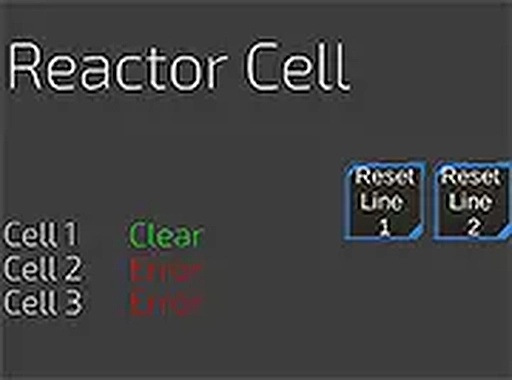
Voyager Memory Puzzle Game Online is a text-based puzzle game that places players in the role of a stranded astronaut. The core objective is to repair a broken spaceship by correctly initializing three key systems: the core, ignition panel, and cell panel. Each system starts improperly configured, requiring players to reset everything and then recall exact values from memory. This educational game combines matching, memory, and math skills, offering a unique challenge that tests attention to detail. Designed for desktop browsers, it provides a safe, family-friendly experience suitable for all ages.
How to Play
Players use their keyboard and mouse to interact with the text interface. The game begins by displaying details for each panel. After observing these values, players reset the systems and must enter the exact same values from memory to achieve perfect initialization. Accuracy is critical, as any mistake forces a restart. The gameplay focuses on recall and precision, with no time pressure, allowing players to progress at their own pace. This straightforward loop of observation, reset, and recall forms the core challenge.
Game Features
Voyager offers a clean text-based interface that emphasizes memory and matching challenges with math elements. It is family-friendly and safe for all ages, with no inappropriate content. The game is free to play directly in a web browser without downloads or installations. It encourages focus and attention to detail, making it an excellent brain teaser. The single-player format allows for self-paced play, and players can challenge friends informally by comparing completion times.
Tips for Success
To excel in Voyager, practice active observation by repeating values aloud or mentally grouping numbers. Break down the three panels into smaller chunks to avoid overwhelming your memory. Take your time during the observation phase, as rushing increases error rates. If you make a mistake, use it as a learning opportunity to identify weak spots. Regular play will naturally improve your recall speed and accuracy. Finally, stay calm and focused, as a relaxed mind retains information better.